Digital Imaging Technicians
Card in, pick destination, start. You end up with a complete handover package of MHL, PDF report and metadata export – no hunting around, no manual logging.
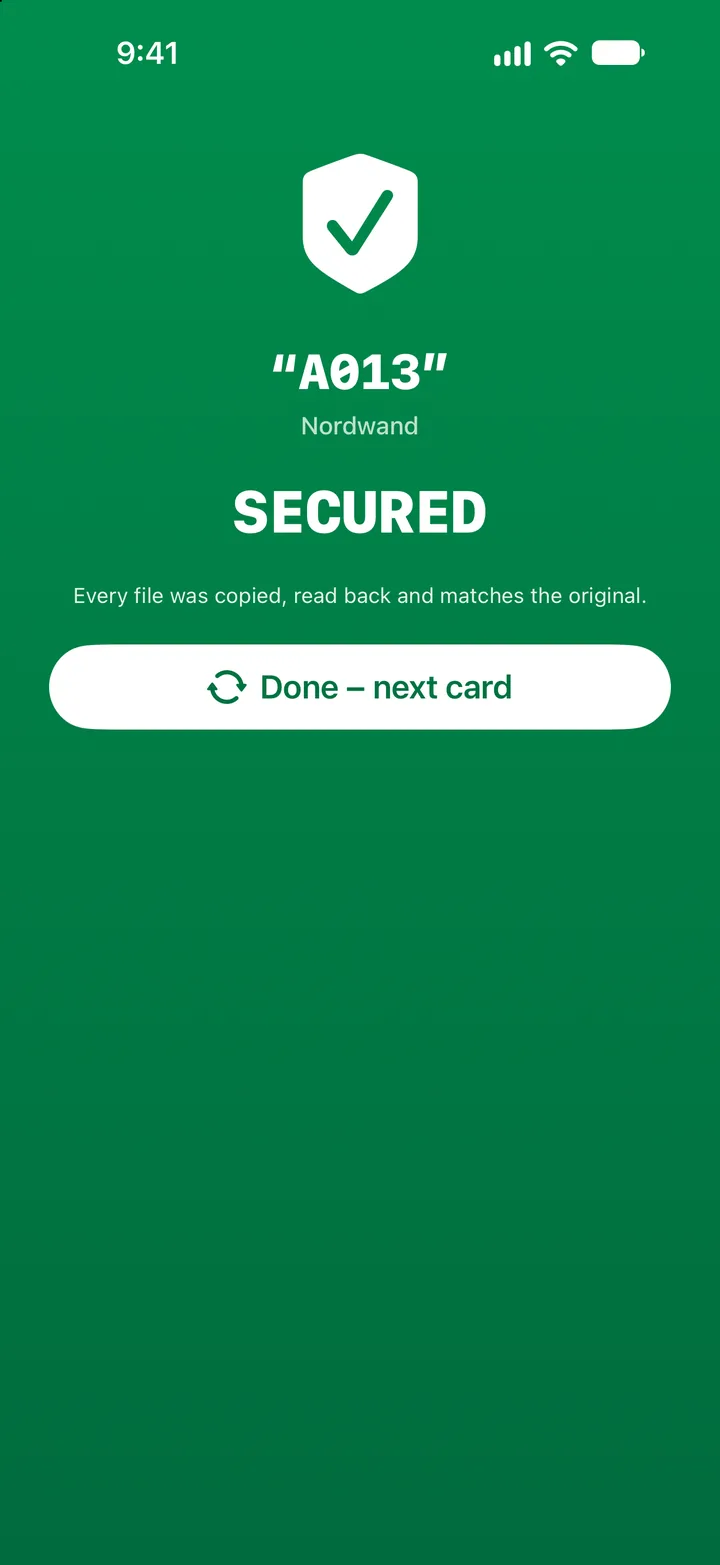
Offloadr copies your footage from memory card or photo library to SSD and NAS – as fast as your hardware allows. Every file is hashed, verified individually and written through all the way down to the drive: "SECURED" only appears once everything truly checks out. Right on your iPhone and iPad.
Version 3.0 Projects with stored destinations · shoot-day counter · history by project · clear failure screen See what's new
€4.99 once · no subscription · iPhone, iPad and Mac

Offloadr exists because I wanted my own videos and photos safely backed up on diving trips – and had had enough of pushing files around in Finder on the iPad. What I needed was a fast, dependable routine that also works on the dive boat or in a hotel room at night. That is where the decisions about what may count as "secured" were made.
I built Offloadr with Claude (Anthropic) as a coding assistant. The requirements, decisions and testing are mine. I'm writing this here because with backup software it shouldn't matter who typed the code – what matters is whether you can check it. You can: every offload is independently verifiable.
On set, every minute counts. When the card is full, the footage has to be secured – fast, fully documented and with no anxious moments before formatting. Professional DIT software used to be expensive, desktop-bound or too cumbersome for daily set use. Offloadr puts the complete offload workflow on the device already in your bag – with no compromise on safety or functionality.
Card in, pick destination, start. You end up with a complete handover package of MHL, PDF report and metadata export – no hunting around, no manual logging.
No laptop setup required: one iPad, one SSD over USB-C – that's your entire mobile backup workflow. On set, in the van, in the hotel room.
Back up DNG, HEIC and JPEG straight from your photo library to NAS or SSD – verified, with metadata export. Back up photos on the go, no laptop needed.
Memory card, USB drive, individual files or straight from the Photos app.
External SSD, NAS, SMB network share – optionally a second destination for redundant backup.
Offloadr copies, hashes and verifies fully automatically. In parallel, with no waiting.
The "SECURED" confirmation, plus MHL, PDF report and metadata export in the destination folder.
"SECURED" only appears when every single file on every destination has been verified. Otherwise it says "NOT SECURED" in red – no sugar-coating, no silently carrying on after errors.
Direct C-level I/O with double buffering reads your SSD at its limit. Hashing runs in parallel with copying, adding no extra time.
After every offload, Offloadr automatically creates everything for a professional handover: MHL in the ASC standard, PDF report, metadata CSV and a full log – without lifting a finger.
Files keep getting bigger, cards and readers faster – the bottleneck must never be the software. Offloadr uses direct POSIX I/O with F_NOCACHE, bypassing the system's RAM cache. Every byte lands straight on the destination.
Reference values from an iPad Pro (USB 3) with an NVMe enclosure. Your numbers depend on device, card reader and drive – non-Pro iPhones over USB 2 are well below this.
After copying, Offloadr re-verifies every single file: the destination file is read back fresh from the destination medium, its checksum computed and matched against the source – no trusting write caches, no shortcuts. Writing through to the medium (F_FULLFSYNC) is not switchable: the data must physically reach the flash cells before a file counts as secured. With two destinations, both checks run at the same time, saving up to 50% verification time.
There's no time for admin on set – so Offloadr does it for you. After every offload, everything for a clean handover sits in the destination folder: a full ascmhl folder with numbered generations, directory hashes and a chain file – exactly as Pomfort Silverstack, YoYotta and Hedge expect it.
_Offloadr subfolder – next to the clips there are only clips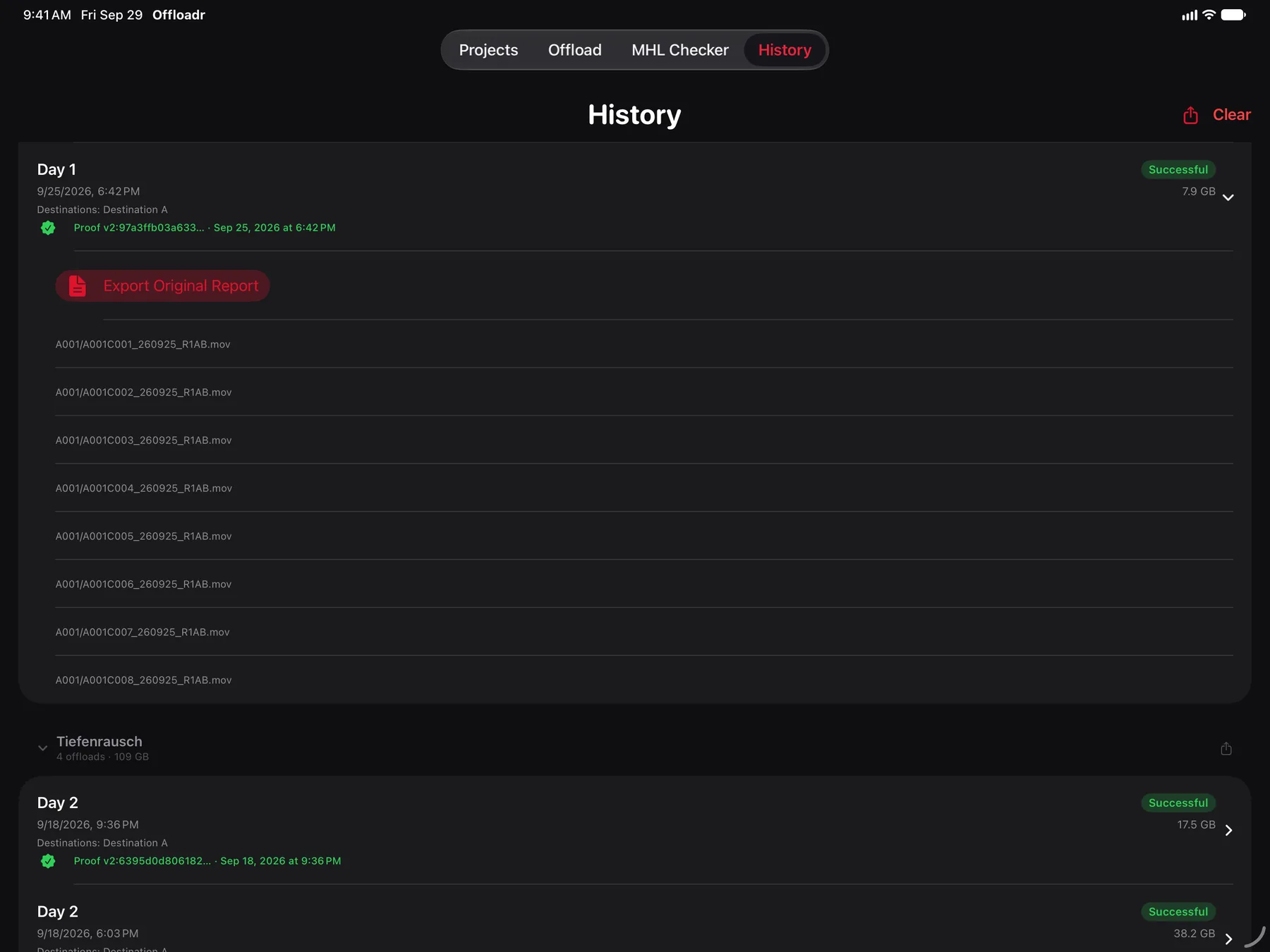
Direct POSIX I/O (open/read/write) with F_NOCACHE. Double buffering: chunk A is written, chunk B read, hash for A computed in parallel.
xxHash-64 by default – ASC MHL v2, up to 15–20 GB/s, the same thing Silverstack, Hedge and ShotPut Pro write. SHA-256 hardware-accelerated when a broadcaster or archive requires a cryptographic checksum.
The destination file is re-read from the medium and compared to the source. F_FULLFSYNC forces the physical write. Optional 3-way verification re-reads the source. Two destinations at once – up to 50% faster.
A full ascmhl folder with numbered generations, directory hashes and a chain file. The built-in MHL checker verifies your own and third-party MHLs against the actual files.
PDF with clip thumbnails, throughput graph, file list and checksums. Metadata as CSV (UTF-8 BOM) and JSON – GPS coordinates can be disabled, every export individually configurable.
Compares size and modification date and skips what's already backed up – ideal for interrupted offloads. Copies keep their original timestamps.
Destinations as security-scoped bookmarks, an options snapshot and a shoot-day counter per production. After an app restart the drives reconnect automatically. History and a combined report per project.
ActivityKit shows project name, progress, data volume and time remaining on the lock screen and in the Dynamic Island – live during the offload.
Any SMB share mounted via the Files app: Synology, QNAP, TrueNAS, Windows. Connection drops are detected instantly and logged.
Apple's PHPicker – privacy-friendly, without full library access. iCloud photos are downloaded automatically when needed.
The display stays awake during an offload so the device won't lock itself. Notifications report errors clearly – no more "success" when something went wrong.
iOS, iPadOS or macOS 26.0 or later – iPhone, iPad and Mac. External hardware: any USB-C compatible SSD or SMB share. Internet only needed for NAS destinations and iCloud photo downloads.
| Category | Supported formats |
|---|---|
| Video | MOV, MP4, MXF, M4V, AVI, MKV – via AVFoundation |
| RAW video | R3D, ARRIRAW (.ari), Blackmagic RAW (.braw) – backed up & hashed |
| Photo / RAW | DNG, CR2, CR3, NEF, ARW, RAF, RW2, HEIC, JPEG, TIFF |
| Other | All file types are copied & hashed |
From the second offload onwards nothing is new – yet everything had to be set up by hand every time. Projects remember what stays the same. Plus a result screen that shows failures just as clearly as successes.
Set destination drives, verification method, companion files and shoot day once. On the next offload everything is already there – all that's missing is the card.
A project's destinations are stored as bookmarks. After an app restart they are connected again as soon as the SSD is plugged in or the NAS share is reachable – no hunting through the Files dialog.
"Day 3" becomes "Day 4" on the next offload – leading zeros are preserved. The folder structure in the destination stays right without anyone having to think about it.
When verification fails, a red full-screen notice appears with the number of affected files and a direct route into the log. The very case where the card must not be erased used to get the least attention.
Writing through to the medium (F_FULLFSYNC) can no longer be switched off – the reason is above.
Collapsible sections per production, chronological within, with count, total size and a combined PDF. Anything backed up without a project gets its own section.
_Offloadr subfolder – next to the clips there are only clips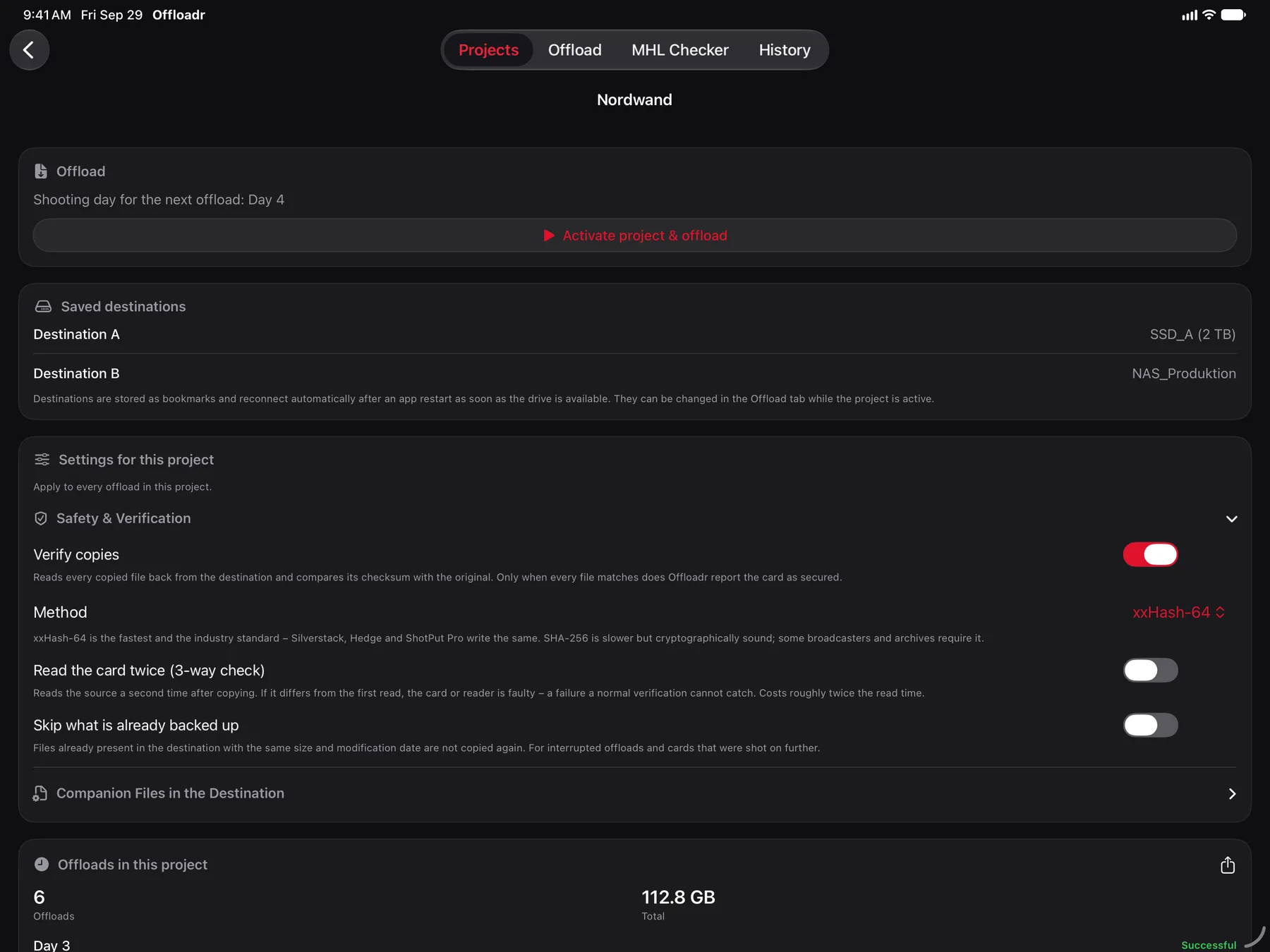
Offloadr was built from day one on a clear principle: what's shot on set stays on your devices. No account, no login, no tracking.
No data transfer to external servers. Offloadr runs completely offline.
No tracking, no ads, no user profiles, no analysis of your behaviour.
No account, no registration, no login. Just install and go.
Only necessary permissions via Apple's Security-Scoped Resources and PHPicker. Full Privacy Manifest.
Note: these points describe the Offloadr app. This website itself uses Google Analytics only with your explicit consent (Google Consent Mode v2, off by default). See the privacy policy for details.
F_FULLFSYNC) – not switchable. If even one file fails, a red "NOT SECURED" screen appears instead, with the number of affected files and the instruction not to erase the card.